Voluntr App/Website
UX Design where Volunteers can easily register and sign up to serve their local communities.
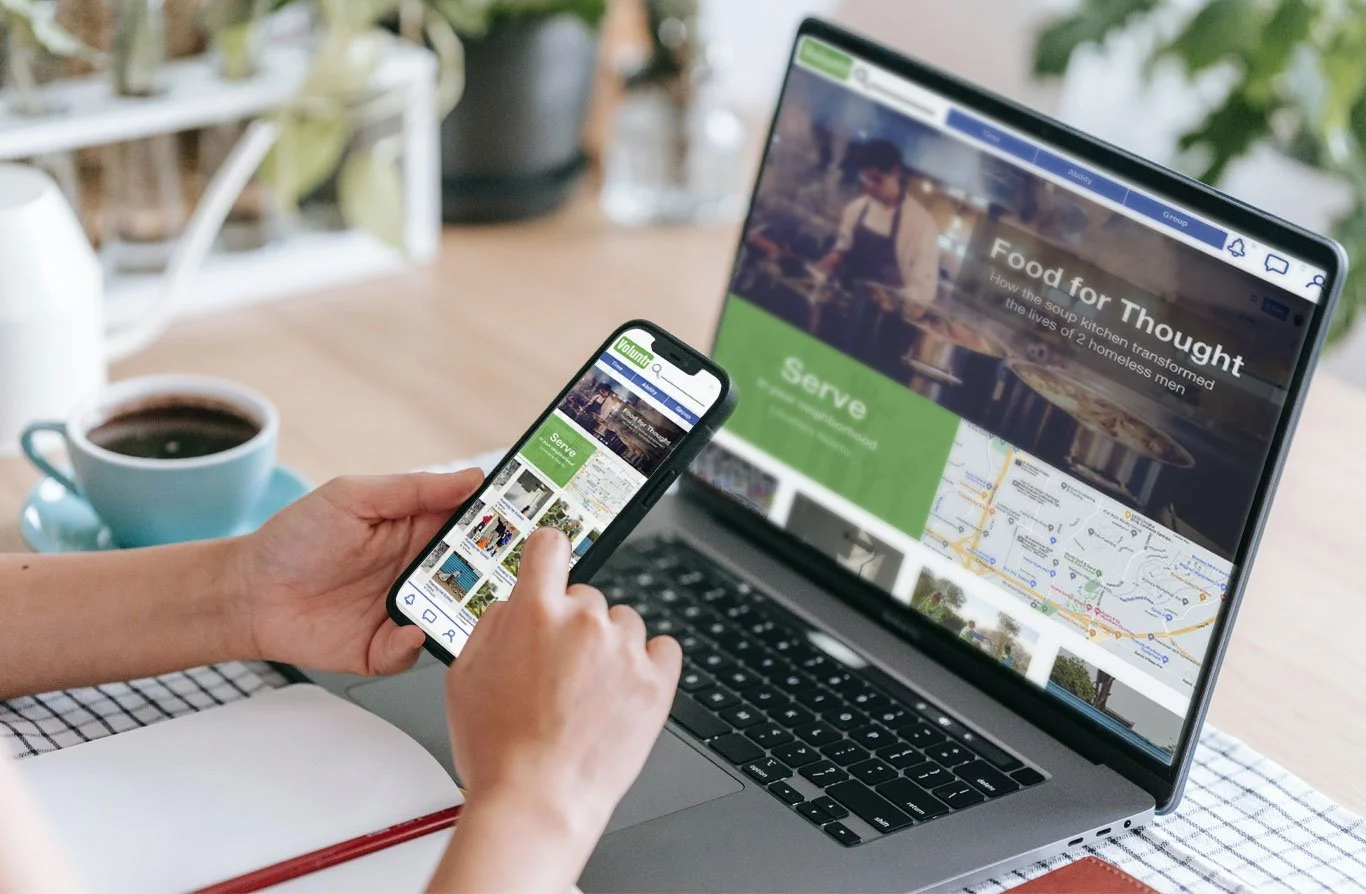
Project Overview
The Product

This product was designed to make it easier for those interested in volunteering to locate, sign up, and get friends and family to join them for nearby volunteering opportunities
The Problem

People are passionate about serving the community and volunteering but there is no central place or location that combines all of the volunteering opportunities easily with a way to sign up for them quickly or on a smaller level
The Idea

This app strives to encourage people to help volunteer locally, and invite their friends and family to join them
My Role

UX designer designing the app and website for Voluntr from conception to delivery.
My Responsibilities

Conducting interviews, paper and digital wireframing, low and high-fidelity prototyping, conducting usability studies, accounting for accessibility, and iterating on designs.
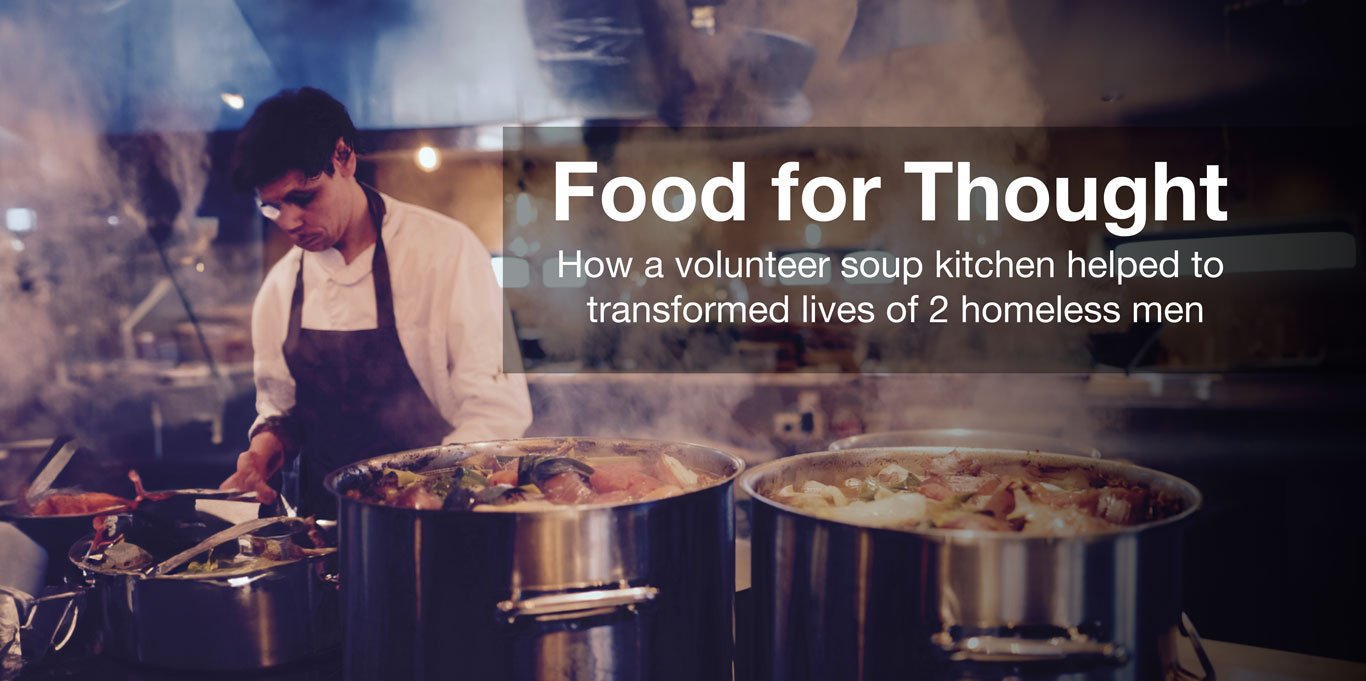
Blog section developed from the outcome of usability studies
User Research: Summary
Analysis

I used developed interview questions, which were then used to conduct user interviews. Most interview participants said they liked to volunteer, but they weren't sure how or where they could sign up. The feedback received through research made it very clear that users would be open and willing to sign up to volunteer if they had an app or website that compiled the information for them to look through and choose from.

Personas

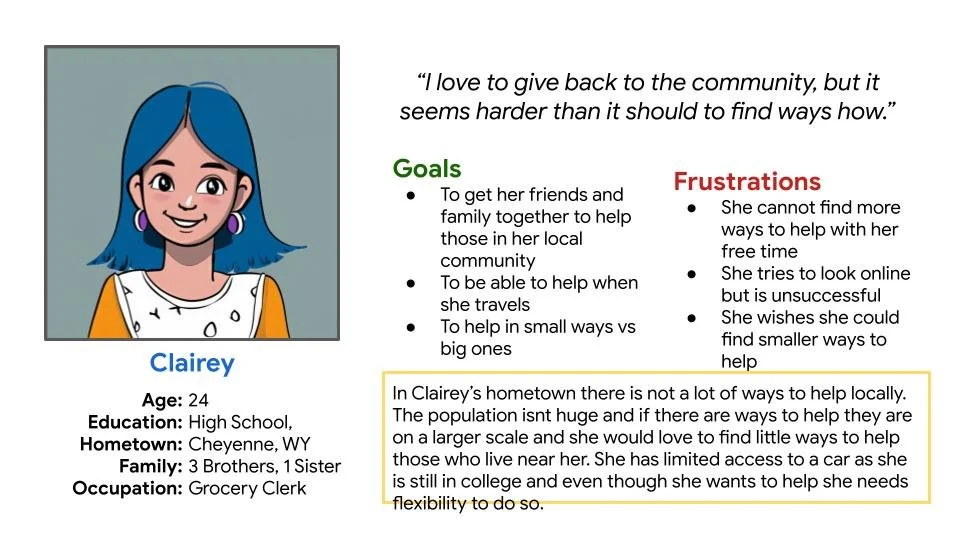
Persona: Clairey Jones
Clairey is a college student who needs to find an easy way to do volunteer work because she doesn’t have much free time to waste digging around online
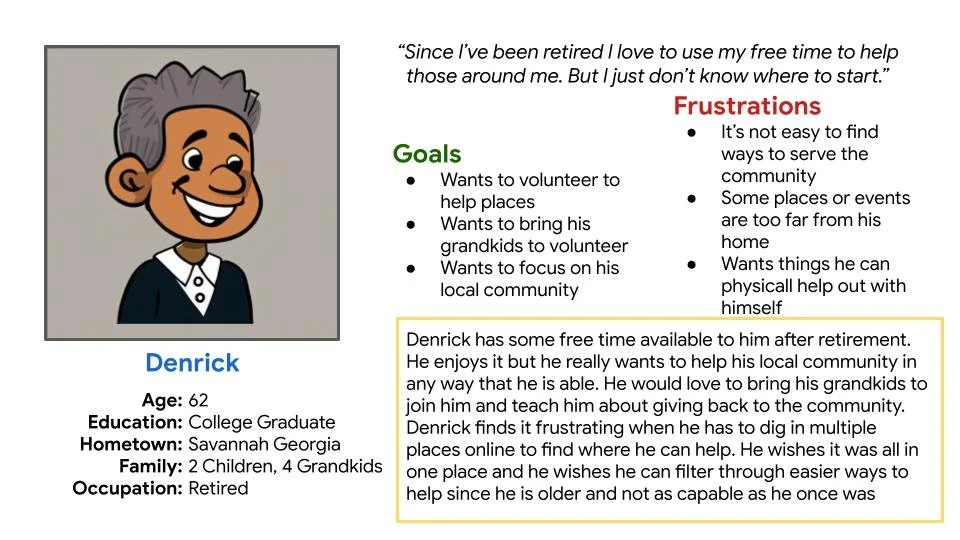
Persona: Denrick Henress
Denrick is a retired senior citizen who needs a convenient method to volunteer locally because he wants to show his grandkids how important helping others can be
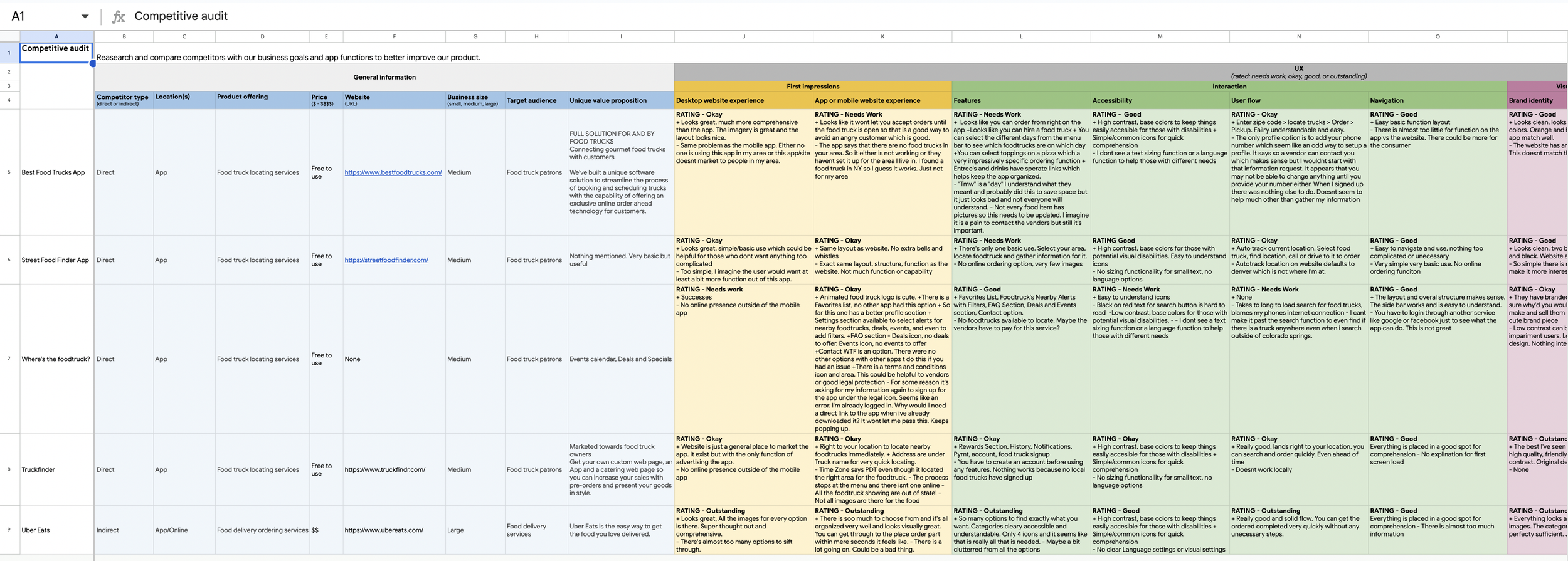
Competitive Audit

An audit of a few competitors’ products provided direction on gaps and opportunities to address with the Voluntr App.

Ideation

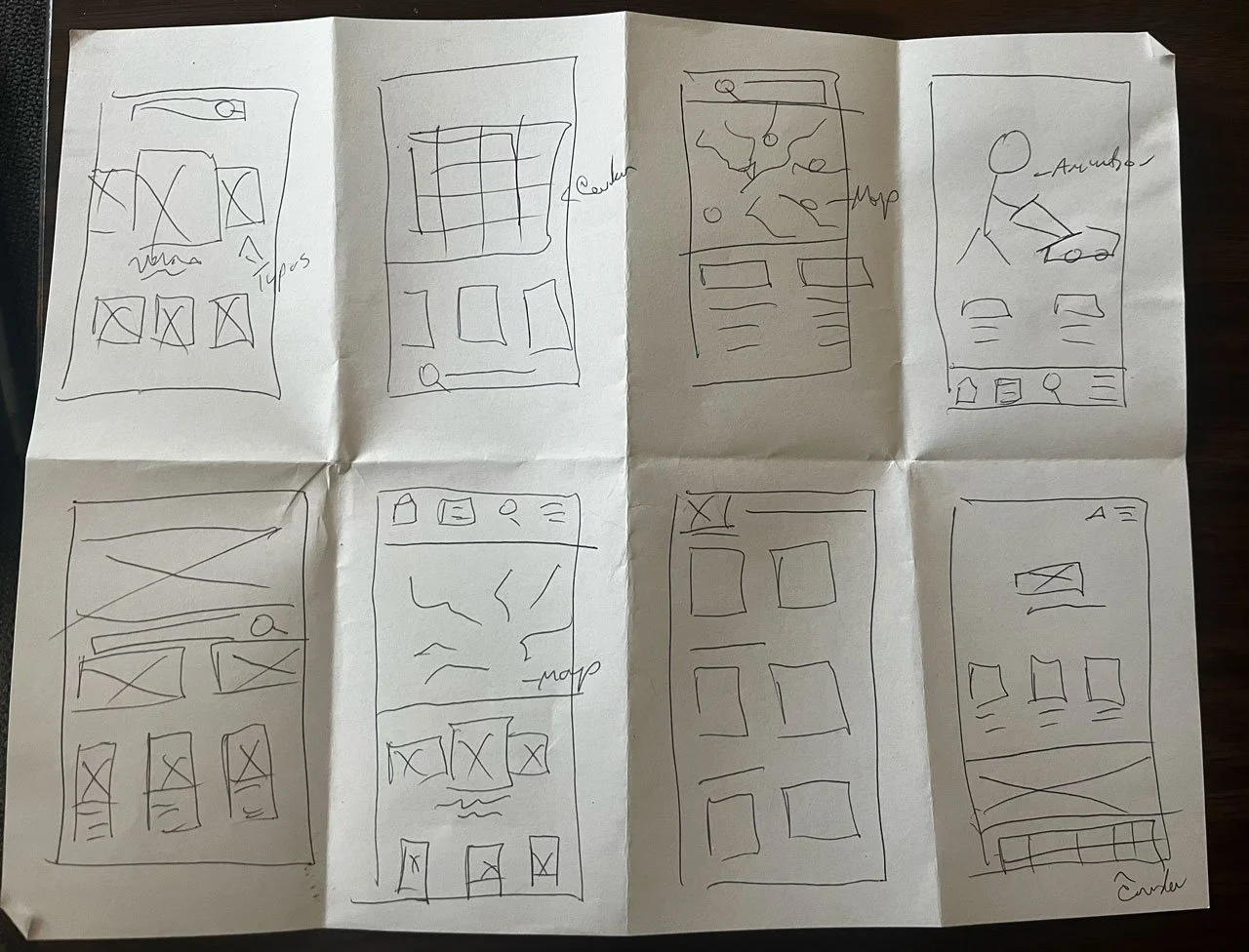
I did a quick ideation exercise to come up with ideas for how to address gaps identified in the competitive audit. My focus was specifically on ways to volunteer quickly and easily sign up to volunteer locally
Digital Wireframes
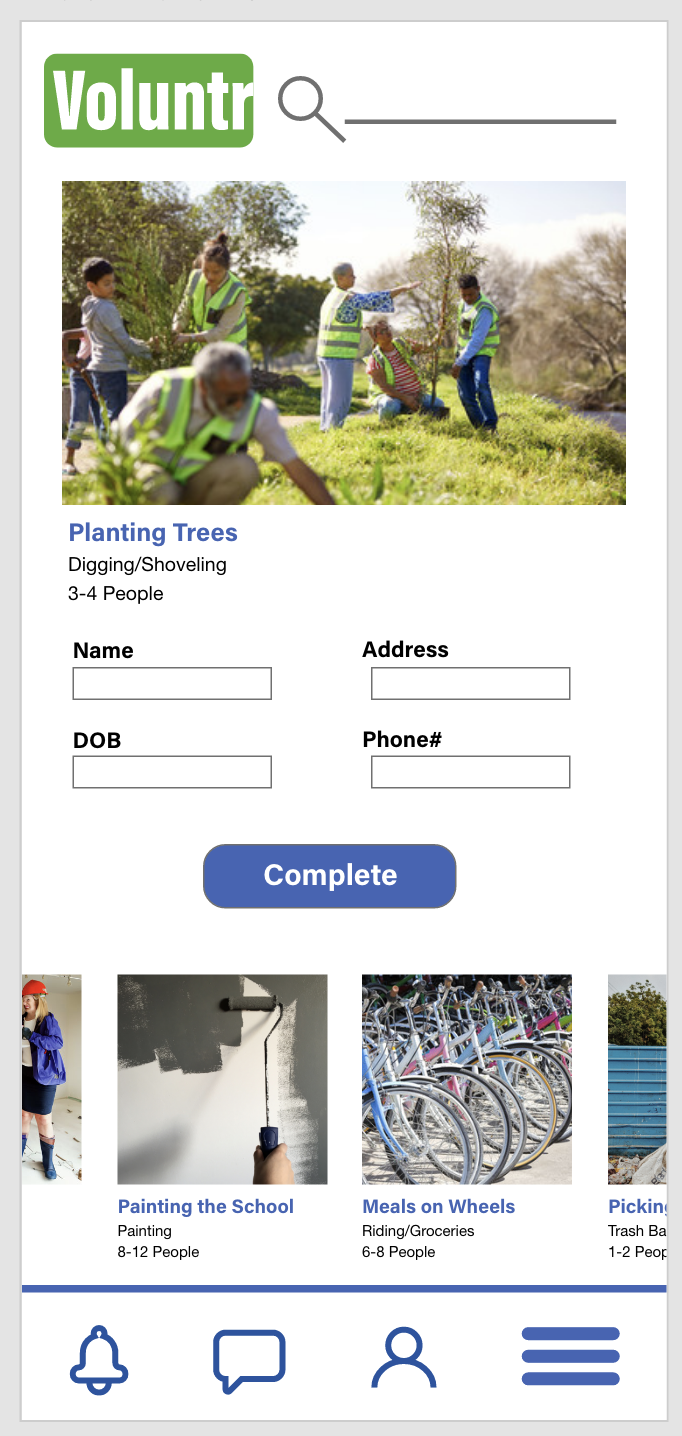
After ideating and drafting some paper wireframes, I created the initial designs for the Voluntr App. These designs focused on helping easily locate local places to volunteer at.
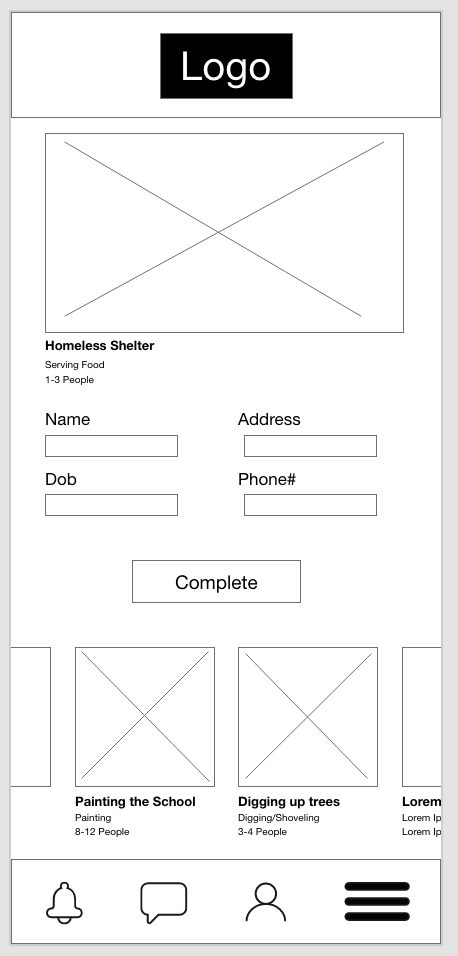

Image of volunteer activity user is interested in.

Initial sign up screen of process.
Low Fidelity Prototype
To prepare for usability testing, I created a low-fidelity prototype that connected the user flow of viewing an item about to expire and using it in a recipe.
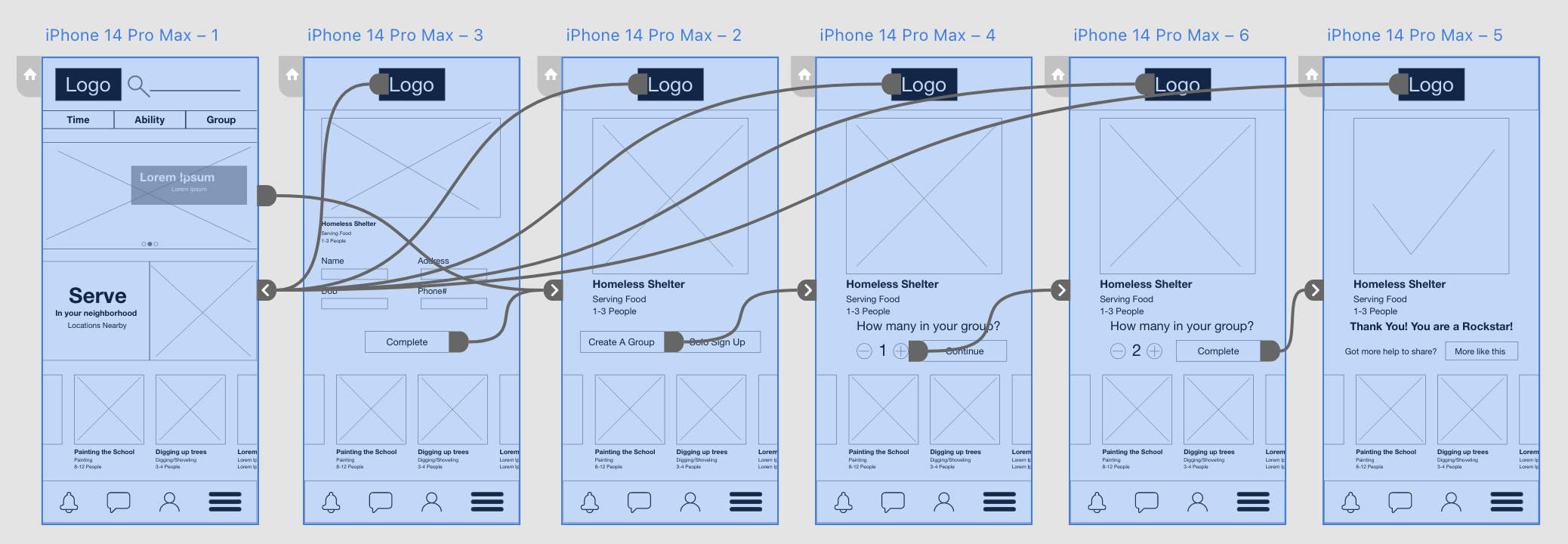
Usability Study: Parameters

Study Type:
Unmoderated usability study
Participants:
5 Participants
Location:
US, Remote
Length
30-60 mins
People felt the alert icon was not in the right space.
People wanted there to be a place to add your friends’ names to join you in the volunteering that you signed up for.
People expected there to be a place for you to enter your own personal info to sign up

Usability Study: Findings
Mockups

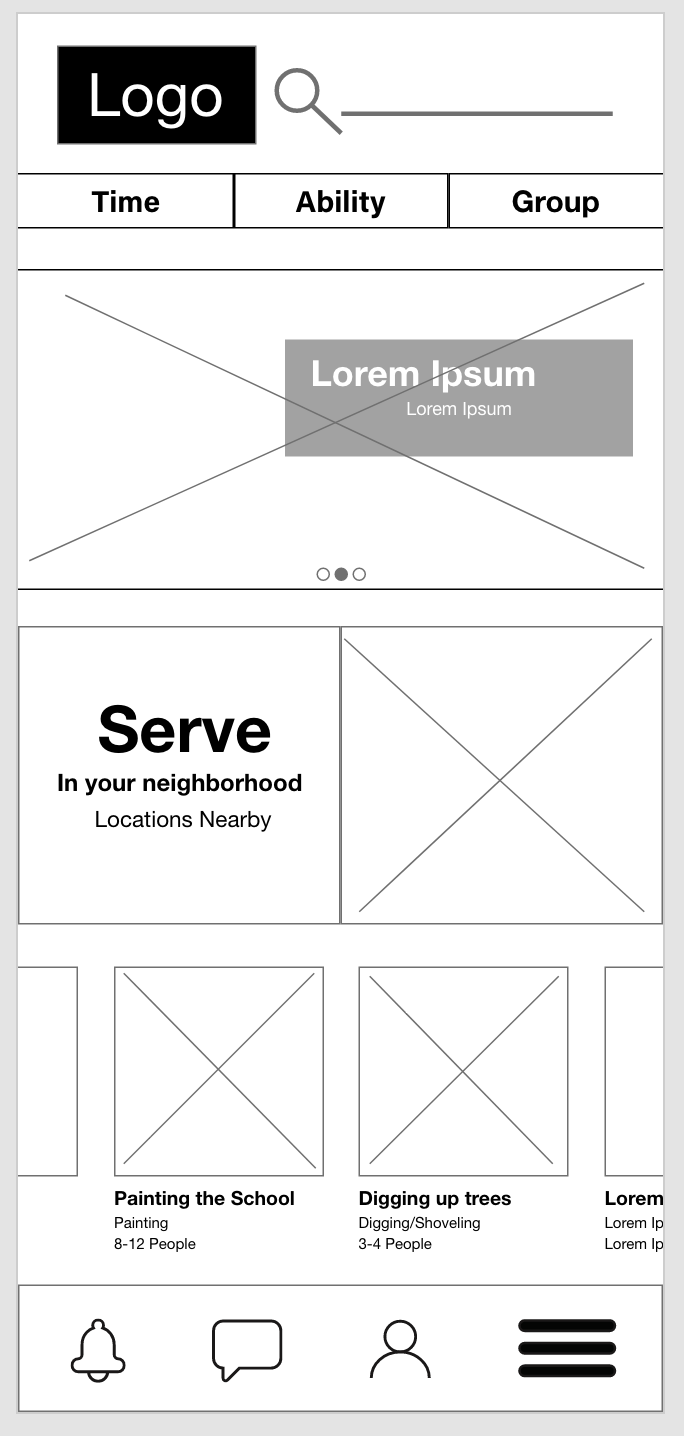
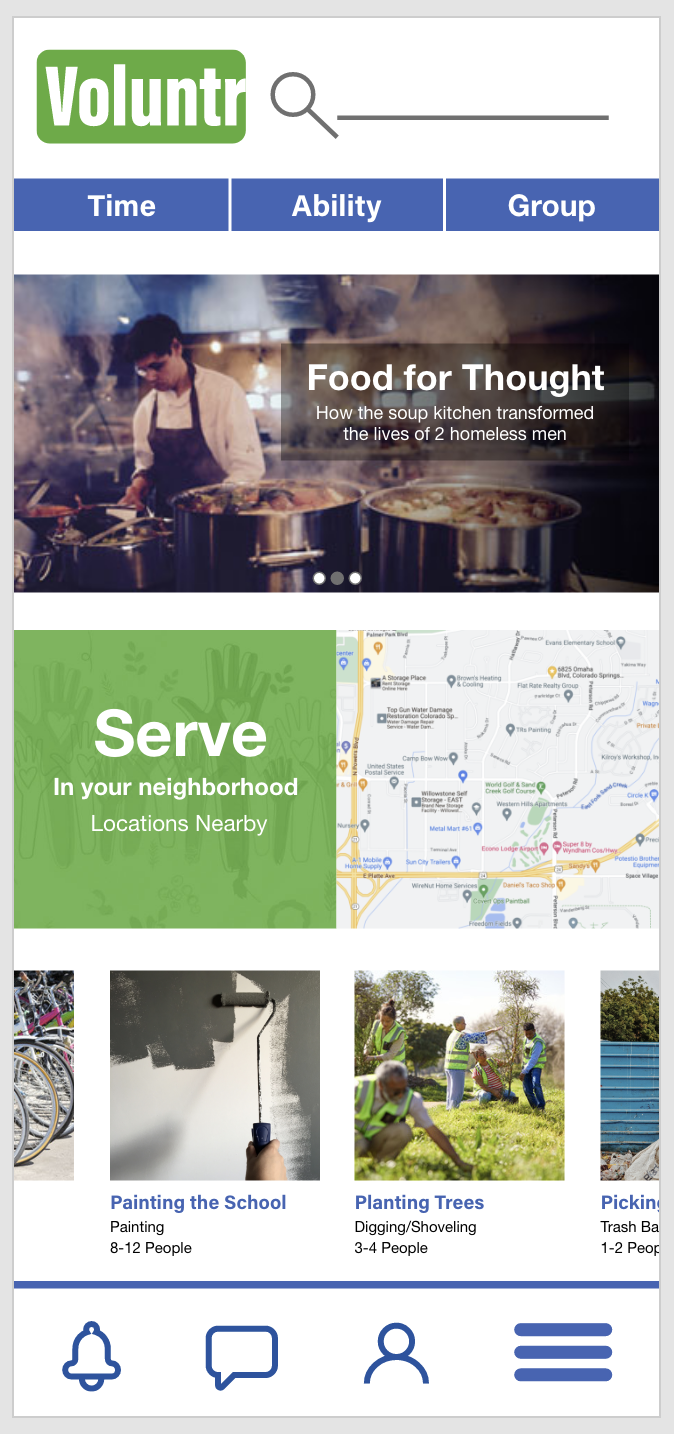
Based on the insights from the usability studies, I applied design changes like Changing the main hero on the home page into a blog section for inspirational stories.
Before usability study
After usability study
Mockups
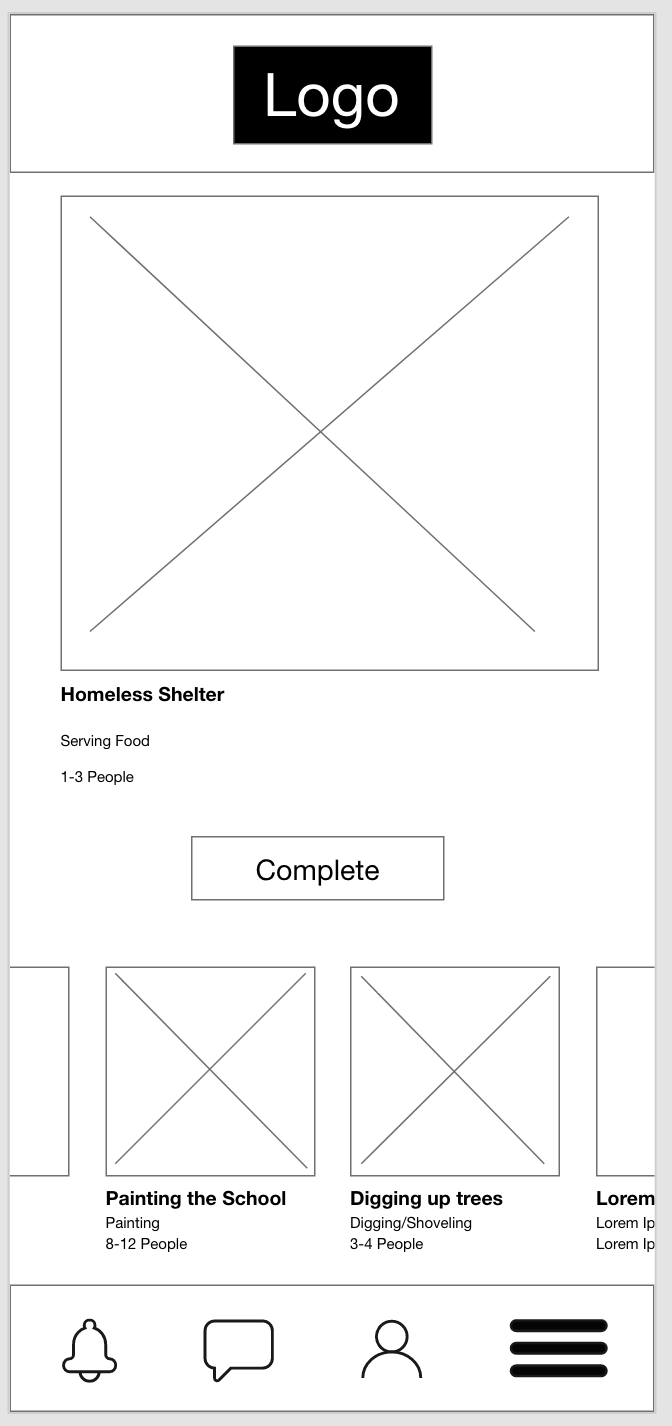
Additional design changes included adding an option to add friends to your group and enter in your personal information.
Before usability study
After usability study
High Fidelity Prototype

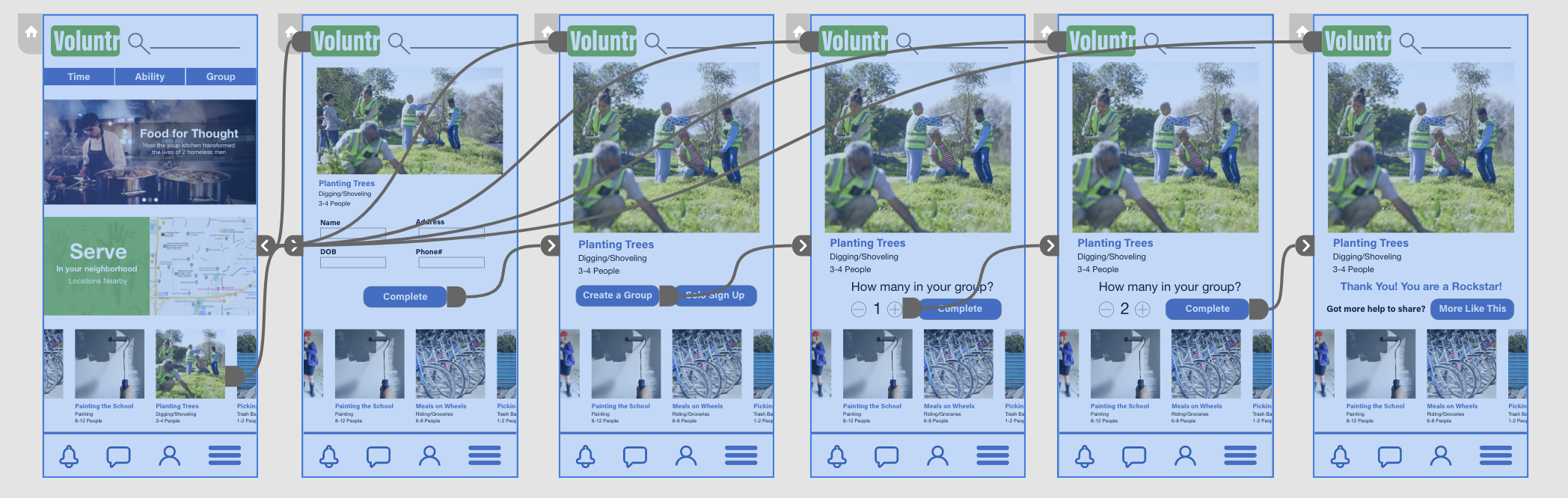
The high-fidelity prototype followed the same user flow as the low-fidelity prototype, including design changes made after the usability study.
Accessibility Considerations

Clear labels for interactive elements that can be read by screen readers.

The initial focus of the home screen on personalized recommendations help define the primary task or action for the user.

High contrast coloring helps those with visual difficulties to read text.

Takeaways

Users shared that the app made volunteering seem like something they could actually participate in regularly. One quote from peer feedback was that “The Voluntr app helps remind my friends and I that there is ways we can help and how important that is.”
Impact:
I learned that even though the problem I was trying to solve was a big one, diligently going through each step of the design process and aligning with specific user needs helped me come up with solutions that were both feasible and useful.
What I learned:
Next Steps

Conduct research on how successful the app is in reaching the goal to inspire others to volunteer more.

Add more educational resources for users to learn where and how to volunteer.